dash#
download the zip
like many similar systems, dash-made dashboards won’t run well in Jupyter notebooks,
so you can download the companion zip
to run our samples locally
executive summary#
operating modes#
a dash dashboard can be used like a regular Python script, i.e.
python my-dash-board.py
but note however that this will only start a web server, and display the URL that you need to point your browser to - typically something like http://127.0.0.1:8050
in a Jupyter notebook
there are ways to run this kind of code inside a Jupyter notebook
BUT it’s a bit of a moving target though, so please refer to this page for details
https://dash.plotly.com/dash-in-jupyter
connecting data#
tightly integrated with plotly - pro or con#
if you know about plotly already, then this is certainly a pro
however if you don’t, it means you are not going to be able to use your matplotlib skills, and will have to re-learn a lot; certainly a con…
pandas-friendly#
most of the examples use a dataframe as their input; which is fine, until you want to play with numpy arrays instead, where things tend to become a little overcomplex
tutorial and examples#
on the website#
the dash tutorial can be found here
https://dash.plotly.com/tutoriala wide range of examples can be found here https://plotly.com/examples/
simple ones#
in addition to those, you will find in the attached zip:
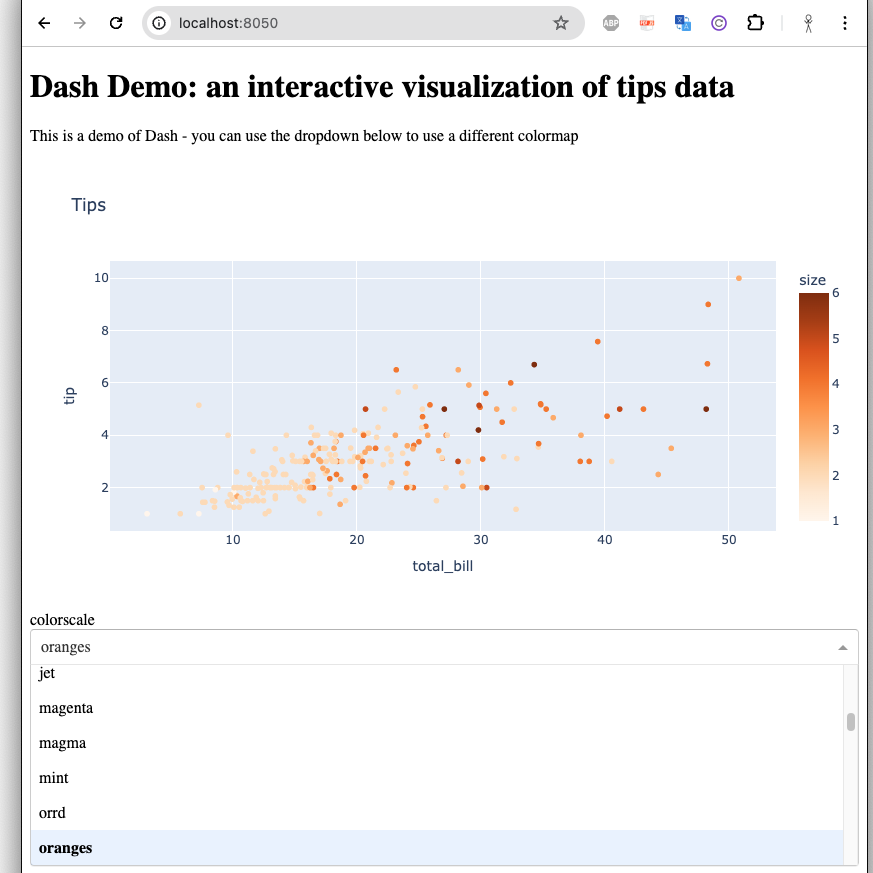
a simplistic visualization app; it just shows how to use a dropdown to select a parameter (here the colorscale) of a given visualization