marimo#
download the zip
like many similar systems, it won’t run well in Jupyter notebooks,
so you can download the companion zip
to run our samples locally
marimo.io is a recent system to build its own kind of notebooks
executive summary#
operating modes#
marimo requires pip install marimo, of course
it is typically imported as import marimo as mo
marimo notebooks are designed to run only by the marimo toolset:
marimo editto start a web page for editing (much alikejupyter lab)marimo run my-marimo-app.pyto run a given notebook as a standalone app
having 2 modes allows the run mode to show a clean interface, with all the clunky details simply not showing
execution order#
the execution flow is not ordered by the notebook
in other words, you can have the result cell show up first, with all the accessory details coming last in the notebook
to achieve that, there is the notion that
one cell produces a variable
one variable can only be produced by one cell only
and from these premises it is possible to build a dependency acyclic graph, and thus a topological order in which to evaluate cells (this kind of like what Excel does under the hood to keep your spreadsheet up-dot-date)
the usual menagerie of objects#
apart from that very typical feature, marimo comes with the usual menagerie of graphical objects
see https://docs.marimo.io/api/index.html for an overview
notes
this means that, as far as the dataframe for example, you will use a dedicated mo.ui.dataframe object to display your data
and this comes with its own toolset to interactively process the data
it means you can do the following, in a no code approach:
filtering rows or columns
groupby
…
which can come in handy for providing more flexibility
no text cell#
another difference is, there are only code cells, and a markdown cell is actually achieved by running
mo.md("""# the markdown text

is actually provided as a Python string, passed to the `md.mo` function
""")
some examples#
on the website#
the examples gallery
https://docs.marimo.io/examples.htmland a sample of real-size apps
https://marimo.io/@public
simple ones#
in addition to those, you will find in the attached zip:
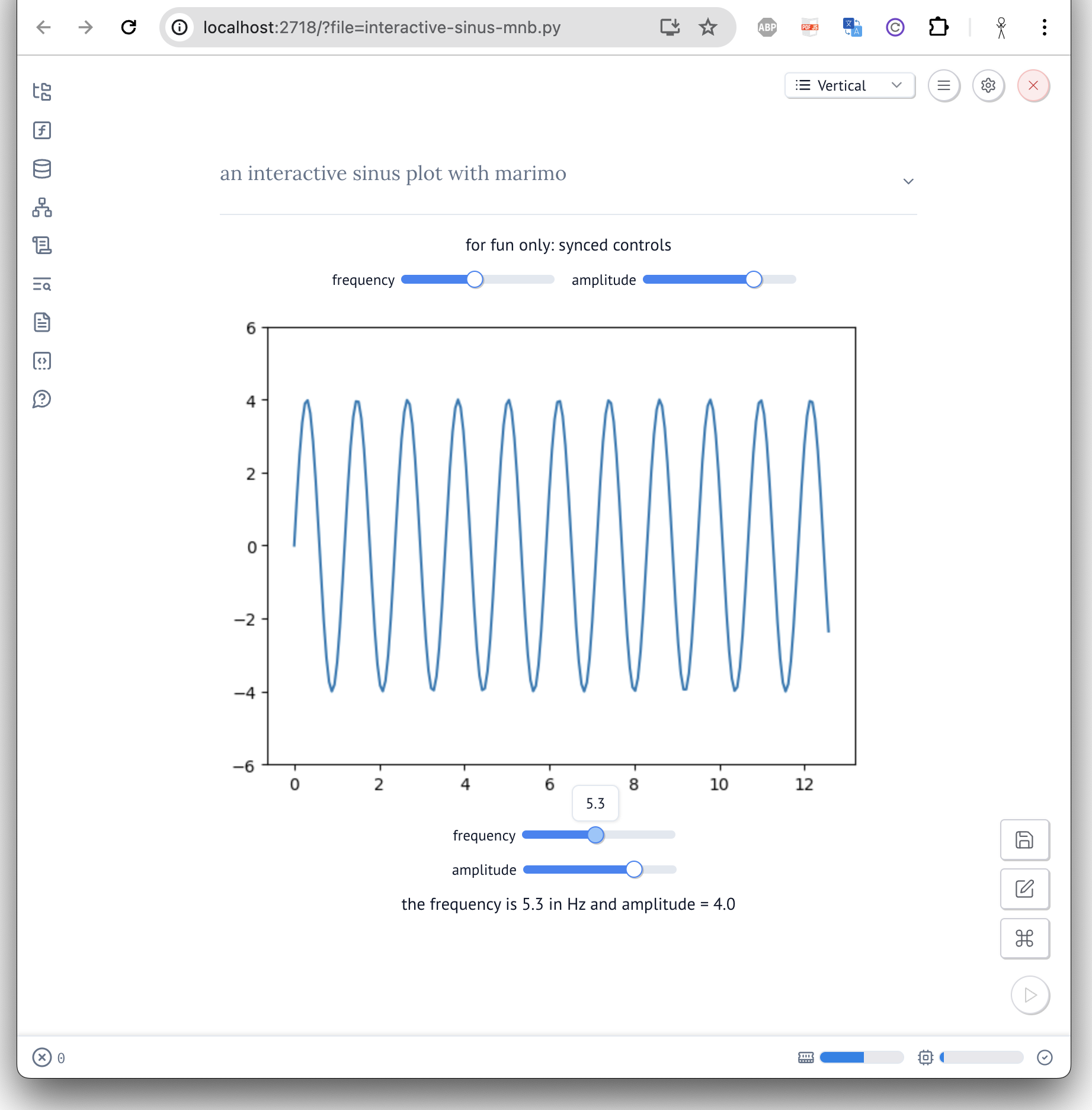
our now usual interactive sinus display - (here in run mode)